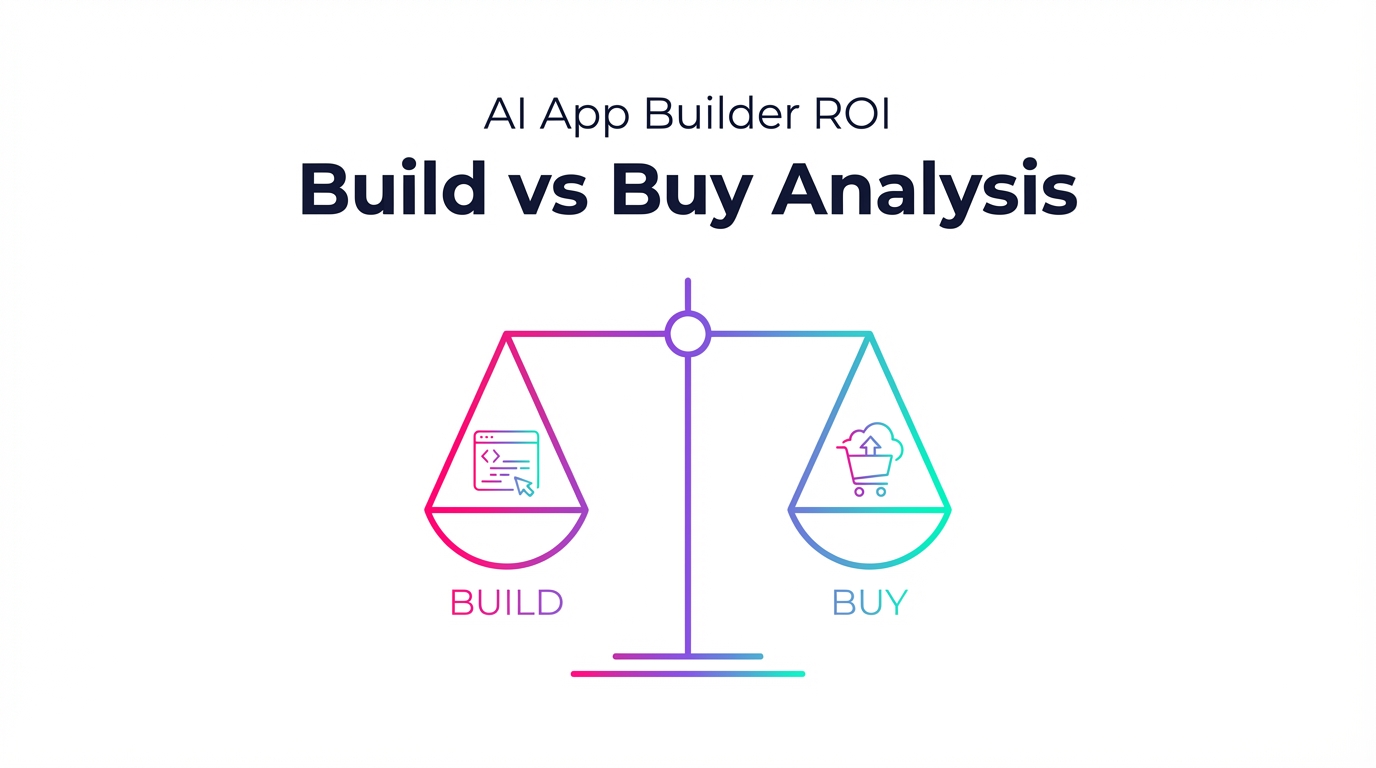

Introduction: The 90-Day Question Most Execs Are Asking If AI were a kitchen, would you build your own or hire a top-tier catering service? In 2025, that’s what AI app builder decisions feel like. The no-code AI agent builder market is exploding, letting non-programmers spin up powerful autonomous systems. The stakes are high: early adopters of agentic AI are reporting 3–5X efficiency improvements, and 64% of businesses say AI agents are already making a positive impact. The question isn’t “should we?”—it’s “how fast can we get value and what’s the smartest path: build or buy?”
Quick Verdict: When to Build vs Buy
- Buy if you need speed-to-value, standard workflows, and minimal engineering lift. No-code/low-code tools like Lindy, Zapier, and Make provide templates, huge integration libraries, and reliable deployment. They shine for customer service, sales ops, scheduling, and common back-office automations.
- Build if your workflows are unique, volume is high, and data control or customization is non-negotiable. Developer-centric stacks using n8n (self-hosted), Replit Agent, and LLM APIs (GPT-4/4o, Claude 3.5 Sonnet, Gemini) give maximum flexibility and long-term cost control—assuming you have engineering capacity.
- Hybrid if you want quick wins now and a strategic runway later. Launch with buy for immediate ROI, then migrate high-volume or high-control workflows to a build stack once you’ve proven the value.
Why This Matters: ROI Benchmarks You Can Take to the CFO Agentic AI is delivering real, measurable gains across functions:
-
Overall agentic AI ROI: Early adopters report 3–5X efficiency improvements; 64% of businesses see positive impact from AI agents.
-
Customer service (excellent proxy for automation ROI): Average $3.50 return per $1 invested; up to 8X for top performers. Expect 30% cost reductions, 50–70% faster response times, and 20–40% better first contact resolution (FCR).
-
Sales productivity: 15–20 hours saved per rep per month; 15–30% win-rate improvements with conversation intelligence; 25% faster deal cycles.
-
Time-to-value signals from tools you’ve heard of:
-
Lindy AI: 3X productivity gains reported within the first 90 days; fast deployment; strong prebuilt templates.
-
Zapier: Easiest to use; largest integration library; quick to connect the common apps you already run.
-
Make (Integromat): Best visual builder; great templates; excellent error handling.
-
n8n: More powerful and cost-effective than Zapier, with self-hosting for full data control (but a steeper learning curve).
What “Build” Means Today (and What It Costs) Think “custom kitchen”: you pick the layout, appliances, and spice rack. The build route uses developer-centric tools and APIs for maximum flexibility and data ownership.
-
Replit Agent (for developers)
-
Pricing: Free tier; Cycles $7/month; Replit Core $15/month.
-
Strengths: Full-stack code generation, built-in PostgreSQL, hosting included, instant deployment, real-time collaboration.
-
Limitation note: Agent 3 is slower than some competitors, so factor this into time-to-value expectations.
-
LLM Model Pricing (for custom builds via API)
-
GPT-4 / GPT-4o (OpenAI)
-
Input: $0.01–0.03 per 1K tokens; Output: $0.03–0.06 per 1K tokens; ChatGPT Plus $20/month; 128K context.
-
Strengths: Superior reasoning; strong creative/coding; general-purpose.
-
Claude 3.5 Sonnet (Anthropic)
-
Input: $3 per million tokens; Output: $15 per million tokens; Claude Pro $20/month; 200K context.
-
Strengths: Strong coding, safety-focused.
-
Gemini 2.0/2.5 Pro (Google)
-
Free tier; Gemini Advanced $19.99/month; API pay-per-use.
-
Strengths: Multimodal, up to 1M context, first-class Google ecosystem integration.
-
Open-source/self-hosted automation
-
n8n: Free to self-host; Cloud from $20/month.
-
Trade-offs: Requires technical skills and infrastructure for self-hosting, but grants full data control and deep customization.
When to favor build
- You need bespoke logic, complex orchestration, or model choice flexibility.
- Data sensitivity is strict and you want ownership (self-hosted n8n shines).
- You care about optimizing token spend, caching, and routing for scale.
- You can support ongoing developer time for updates, monitoring, and prompt/workflow tuning.
What “Buy” Means Today (and What It Costs) Think “catered kitchen”: fast, clean, dependable—and the menu is surprisingly good.
-
Lindy AI
-
Pricing: Free (400 credits/month), Pro $49.99/month.
-
Best for: Business automation, lead gen, and full-stack AI app building with agents.
-
Features: Visual workflow builder, pre-made templates, multi-agent orchestration, 400+ integrations.
-
ROI indicator: Companies report 3X productivity within 90 days.
-
Pros: Intuitive interface, strong templates, fast deployment, good docs. Cons: Limited free tier, some advanced features need coding, can be pricey for multiple agents.
-
Make (Integromat)
-
Pricing: Free (1,000 ops/month), Core $9/month, Pro $16/month.
-
Best for: Visual scenario building and complex automation.
-
Features: Visual builder, 1,400+ integrations, excellent error handling, data transformation, scheduling.
-
Pros: Best visual builder; affordable; great templates; error handling is top-notch. Cons: Can get complex quickly; steeper learning for advanced features; limited free tier.
-
Zapier
-
Pricing: Free (100 tasks), Starter $19.99/month, Professional $49/month.
-
Best for: Non-technical teams; quick integrations; popular app connections.
-
Features: 6,000+ integrations, AI agent features, multi-step workflows, filters/formatting.
-
Pros: Easiest to use; largest integration library; strong support; reliable uptime. Cons: Most expensive relative to peers; limited free tier; can get costly at scale.
-
n8n Cloud
-
Pricing: From $20/month.
-
Best for: Teams that want n8n’s power without self-hosting.
-
Strengths: More powerful and cost-effective than Zapier; upgrade path to self-hosting later.
-
Cons: Still requires some technical understanding.
-
Relevance AI (Enterprise)
-
Best for: Enterprise-grade AI agent deployment.
-
Strengths: Advanced multi-agent systems, industry templates, enterprise security, and scalability.
When to favor buy
- You want fast deployment using templates and visual builders.
- Your workflows are standard patterns across support, sales, or ops.
- You want formal support, predictable onboarding, and proven reliability.
ROI Model: How to Compare Apples to Tokenized Oranges Use this simple framework to compare Build vs Buy:
- Buy cost structure: Subscription fees, task/operation overages, seat-based pricing. Costs rise with usage (especially in Zapier).
- Build cost structure: LLM usage (token-based), infrastructure for self-hosting (if any), and developer time. Costs scale more with tokens than with seats.
Key formulas
- Break-even (Buy): Hours saved per month x fully loaded hourly cost ÷ subscription price.
- Break-even (Build): (Hours saved x hourly cost) ÷ (token costs + infra + dev time amortized).
- Token math: 1,000 tokens is roughly 750–1,000 words. For GPT-4/4o: $0.01–0.03 per 1K input; $0.03–0.06 per 1K output. For Claude 3.5 Sonnet: $3 per million input; $15 per million output.
Example ROI Scenarios
- Quick-start automation (Buy)
- Stack: Make Pro ($16/month) or Zapier Starter ($19.99/month).
- Benefit: Automate email triage, CRM updates, and notifications via templates.
- ROI proxy: If a single user saves 2–3 hours/month, at $60/hour, that’s $120–$180 value for ~$16–$20 cost—6–9X ROI. In customer service, benchmarks suggest $3.50 return per $1 on average and up to 8X for top performers, with 30% support cost reductions, 50–70% faster responses, and 20–40% better FCR once broader automation is in place.
- Sales productivity lift (Buy)
- Stack: Zapier or Make for routing, plus conversation intelligence (tooling varies).
- Benefit: 15–20 hours saved per rep per month; 15–30% win-rate improvement; 25% faster deal cycles.
- ROI thought: Even at $60/hour and 15 hours saved, that’s $900/month of time value per rep. Seat-level subscriptions often pay for themselves many times over.
- Custom app or complex orchestration (Build)
- Stack: n8n self-host (free + infra), Replit Core ($15/month) for faster dev, and GPT-4o.
- Sample usage: 5 million input tokens/month and 1 million output tokens/month.
- Cost estimate: Input $50–$150; Output $30–$60. Add Replit Core $15. All-in: ~$95–$225/month plus infra. Compare that to labor savings (e.g., 100 hours saved/month across a team at $60/hour = $6,000 value). That’s 26–63X ROI before infra and dev amortization. If you switch to Claude 3.5 Sonnet with similar volumes, input might be ~$15 (5M x $3/M), output ~$15 (1M x $15/M) = ~$30 plus infra—very cost-efficient if performance meets your needs.
- Enterprise-grade, secure multi-agent (Buy)
- Stack: Relevance AI.
- Benefit: Enterprise security and scalability with advanced multi-agent systems and industry templates.
- ROI note: While pricing is custom, the time-to-value and risk mitigation (security, compliance, support) can more than justify the investment for regulated or large-scale environments.
Pros and Cons: Side-by-Side
-
Buy (No-code/Low-code)
-
Pros: Fast deployment; ease of use; templates; large integration libraries (Make ~1,400+, Zapier ~6,000+); reliable support; predictable setup.
-
Cons: Subscription and overage costs; limited free tiers; potential vendor lock-in; advanced use cases may still require coding; can get pricey at high task volume (Zapier especially).
-
Build (Developer-centric + LLM APIs + self-host)
-
Pros: Maximum flexibility; cost control via token routing and self-hosting (n8n); full data ownership; custom security posture; choice of models (GPT-4/4o, Claude 3.5 Sonnet, Gemini).
-
Cons: Steeper learning curve; infrastructure and maintenance burden; requires ongoing engineering time; performance tuning is on you.
Best For: Matching the Path to the Team
-
Non-technical teams seeking quick wins and common integrations
-
Buy: Zapier (easiest), Make (best visual builder), Lindy (multi-agent templates, fast deployment, 3X in 90 days reported).
-
Technical teams that need deep customization, data control, or unique workflows
-
Build: n8n self-host for full control; Replit Agent to accelerate full-stack coding; LLM APIs for bespoke logic and cost/performance tuning.
-
Enterprise-grade at scale with security/compliance needs
-
Buy: Relevance AI’s multi-agent platform with enterprise-grade security and templates.
-
Cost-sensitive at scale with in-house talent
-
Build: n8n self-host + LLM APIs. Optimize prompts, token usage, and caching to keep unit costs low while scaling.
Decision Inputs: A Simple Matrix to Score Your Choice Score each as Low/High, then tally whether Build or Buy wins more boxes.
- Time-to-value requirement: Immediate (Buy) vs can wait quarters (Build).
- Internal technical capacity: Low (Buy) vs High (Build).
- Data sensitivity/compliance: Standard (Buy) vs Strict (Build/self-host).
- Volume and scale: Low/Moderate (Buy) vs High/Variable (Build).
- Workflow uniqueness: Standard patterns (Buy) vs Highly custom (Build).
- Budget profile: OPEX subscriptions (Buy) vs OPEX usage + infra (Build).
- Need for control/portability: Low (Buy) vs High (Build).
- Integration breadth: Common SaaS (Buy) vs Proprietary systems (Build).
Time-to-Value Signals and Tool Fit (What the Market Is Telling Us)
- Lindy AI: Fast deployment and strong templates lead to reported 3X productivity in 90 days.
- Zapier: Easiest to use for quick integrations across 6,000+ apps. Great for non-technical teams.
- Make: Best visual builder and excellent error handling; scales well from simple to complex scenarios.
- n8n: More powerful and cost-effective than Zapier with the option to self-host for full data control—just note the steeper learning curve.
Case Snapshots: Two Fictional Stories, Realistic Outcomes
-
The Support Sprint (Buy)
-
Context: A 50-agent e-commerce support team uses Make + Lindy templates to handle order status, returns, and FAQ responses.
-
Outcome: Within 90 days, they see ~3X productivity in tier-1 workflows, 50–70% faster responses, and 20–40% better FCR in the automated queues. Overall support costs drop by ~30%. With subscription spend in the hundreds per month and labor savings worth tens of thousands, the CFO sees ROI comfortably above the $3.50 per $1 benchmark.
-
The Custom Ops Engine (Build)
-
Context: A B2B logistics firm needs custom scheduling and pricing workflows with proprietary data. They self-host n8n, prototype with Replit Agent ($15/month), and route most calls through Claude 3.5 Sonnet.
-
Outcome: The system processes millions of tokens monthly at modest API cost, giving full data control and unique logic. The ops team saves hundreds of hours per quarter. Even after accounting for dev time and infra, the ROI is compelling, with costs scaling by usage instead of seats.
Hidden Costs and Risks (Know Before You Sign or Ship)
-
Buy
-
Overages/task-based billing can surprise you—Zapier especially at scale.
-
Feature gating to higher tiers; limited free tiers.
-
Advanced use cases may still need custom code or add-ons.
-
Build
-
Engineering time for orchestration, monitoring, and QA is often underestimated.
-
Self-hosting (e.g., n8n) requires infra ops and security hardening.
-
Model cost variability: Long prompts and large context windows inflate tokens.
-
Vendor changes over time can require updates to prompts, APIs, or routing.
Implementation Path: How to Pilot Fast and De-Risk
- If You Buy
- Identify Tier-1, high-volume workflows: FAQs, order status, password resets, scheduling.
- Pick your platform: Zapier for ease, Make for visual control, Lindy for multi-agent templates and fast deployment.
- Launch in a week: Use templates, configure intent routing, build in human handoffs.
- Measure aggressively: CSAT, FCR, response time, deflection rate, cost per ticket.
- Manage growth: Use Make’s error handling, set guardrails for overages, and review data retention policies.
- If You Build
- Start narrow: One workflow, one metric. Avoid scope creep.
- Instrument everything: Log prompts/outputs, track token usage, set budgets.
- Pick models by cost/performance: GPT-4/4o for reasoning; Claude 3.5 Sonnet for cost-efficient coding and safety; Gemini for multimodal and large context needs.
- Consider n8n self-host for data control; use Replit for rapid prototyping and built-in hosting.
- Prepare for production: Monitoring, retries, observability, prompt/version control, and infra hardening.
Performance and Scalability: Who Handles the Midnight Pager?
- Buy: You get proven reliability and support. The trade-off is cost at high task volume or limited customization.
- Build: You can tune prompts, cache, and route models for speed and cost. But you own reliability, SLAs, and incident response.
Practical Cost Anchors (So You Can Sanity-Check Quotes)
-
No-code/automation subscriptions
-
Lindy Pro: $49.99/month per workspace.
-
Make Core: $9/month; Pro: $16/month.
-
Zapier Starter: $19.99/month; Professional: $49/month.
-
n8n Cloud: From $20/month (self-host is free + infra).
-
Developer platform
-
Replit Core: $15/month; Cycles: $7/month.
-
Model usage
-
GPT-4/4o: $0.01–0.03 per 1K input tokens; $0.03–0.06 per 1K output tokens; ChatGPT Plus $20/month.
-
Claude 3.5 Sonnet: $3 per million input tokens; $15 per million output tokens; Claude Pro $20/month.
-
Gemini 2.0/2.5 Pro: Gemini Advanced $19.99/month; API pay-per-use.
Putting It All Together: A Simple Playbook
-
Step 1: Score your decision matrix—time-to-value, technical capacity, data sensitivity, scale, uniqueness, budget, control, integrations.
-
Step 2: Spin up a low-risk pilot.
-
Buy: Launch with Make or Zapier for common integrations; use Lindy if you need multi-agent templates and faster outcomes.
-
Build: Prototype with Replit Agent, orchestrate with n8n (self-host for data control), and choose LLMs by price/performance.
-
Step 3: Track metrics weekly: hours saved, CSAT, FCR, response times, win rates, cost per task, token spend.
-
Step 4: Decide to scale, optimize, or migrate: If overages pile up, consider moving that workflow to a build stack. If engineering becomes a bottleneck, standardize on a buy platform for those tasks.
Bottom Line: Choose the Fastest Path to Value You Can Sustain
- If you need outcomes this quarter with standard workflows, buy. The combo of templates, massive integration libraries (Zapier ~6,000; Make ~1,400), and proven reliability delivers immediate wins. Customer service teams regularly see $3.50 per $1 invested on average and up to 8X for top performers, with 30% support cost reductions and dramatic gains in response time and FCR.
- If your workflows are unique, your data is sensitive, and volume will be high, build. A stack with n8n (self-host), Replit Agent, and LLM APIs like GPT-4/4o, Claude 3.5 Sonnet, or Gemini lets you tune costs and performance over time, with full control of your data and logic.
- Hybrid is the pragmatic middle: use buy to prove value fast, then move the heavy hitters to build for long-term unit economics and control.
Conclusion: From Kitchen to Factory Line The best AI programs start like a pop-up kitchen—lean, scrappy, and fast. Then, as the menu stabilizes and orders flood in, you move to a custom factory line where every step is tuned for throughput and cost. Whether you buy or build, the ROI picture is already compelling—agentic AI is delivering 3–5X efficiency, sales teams are reclaiming 15–20 hours per rep per month, and customer service orgs are seeing multi-X returns.
Your job isn’t to predict the perfect end state; it’s to choose the fastest path to value you can sustain. Pilot, measure, and upgrade. That’s how you get from first bite to a Michelin-star AI operation.