
No-Code vs Low-Code AI: How to Choose for Your Business in 2025
If 2024 was the warm‑up act, 2025 is the main show for agentic AI. Budgets are shifting—fast. Companies are moving 40–60% of their AI spend to agent-based systems, early adopters are reporting 3–5X efficiency gains, and 64% of businesses say AI agents are already making a positive impact. Translation: the stakes (and the opportunities) are real.
But here’s the fork in the road: do you go no-code or low-code? Choosing the wrong lane can feel like driving a sports car down a dirt road or bringing a bulldozer to a bicycle race. Let’s make the choice simple, practical, and ROI-driven—without the jargon avalanche.
TL;DR (for the time-poor exec)
- Need speed and simplicity for internal tools or agents? Start with no-code (Glide, Lindy AI). Launch this week.
- Need complex logic, custom integrations, or strict data control? Go low-code (Bubble, n8n, Replit). Plan for more setup, more payoff.
- Start small: a 30-minute pilot can show signal. Aim to measure ROI in 90 days.
What We Mean by "No-Code" vs "Low-Code" (Plain-English Definitions)
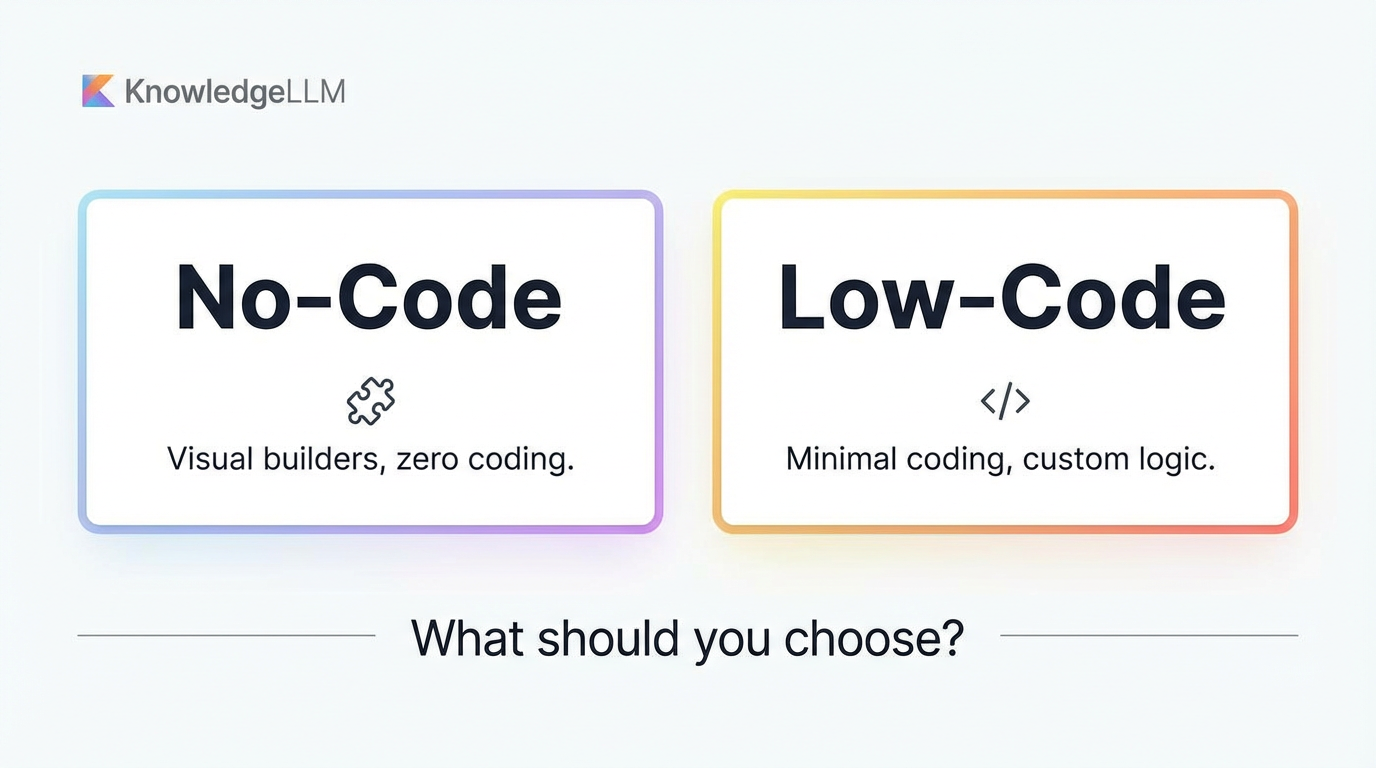
Think of no-code as buying a high-end kitchen appliance with preset modes—you get a great smoothie with one button. Low-code is a modular kitchen: more knobs, more control, a few recipes drawn on the wall. Both make dinner. One is faster; the other scales your menu.
- No-code AI: Visual, template-driven platforms that let non-technical users build apps or AI agents without programming. Emphasis on speed, simplicity, and spreadsheet/data connectors.
- Low-code AI: More flexible, developer-leaning tools that still provide visual builders but may require some scripting, API work, or infrastructure. Emphasis on customization, integrations, and scalability.
Why This Decision Matters in 2025
- Agentic AI shift: Organizations are allocating 40–60% of AI budgets to agentic systems.
- ROI signal: Early adopters report 3–5X efficiency improvements.
- Momentum: No-code AI agent builders are exploding—democratizing AI development for non-programmers.
- Confidence: 64% of businesses already see a positive impact from AI agents.
In other words, there’s both urgency and upside. The question isn’t whether to use AI agents; it’s how quickly and how flexibly you can bring them to your workflows.
Cost Snapshot: What You’ll Likely Spend
Here’s the quick budget lens. Exact costs will vary, but these ranges will get you close.
- Entry level: $5–29/month (examples: Replit, Glide)
- Mid-tier: $49–99/month (examples: Bubble, Softr)
- Enterprise: $200+/month (custom requirements)
Tool-specific snapshots:
- Glide: Free; Maker $25/mo; Team $99/mo; Business $249/mo
- Bubble: Free; Starter $29/mo; Growth $119/mo; Team (Custom)
- Lindy AI (no-code agents): Free (400 credits); Pro $49.99/mo
- n8n (low-code automation): Free self-hosted; Cloud from $20/mo
- Replit (developer-oriented with AI): Free tier limited (pros/cons noted below)
Bottom line: entry costs favor no-code, mid-tier plans add power (and spend), and self-hosted low-code can be most cost-effective long-term—if you have engineering resources.
The Platforms, In Practice: What They’re Great At
Let’s compare exemplars you’ll encounter in real buying decisions.
No-code Stars
Glide (data-driven, mobile-first apps)
- Best for: Spreadsheet-backed apps (Google Sheets, Airtable)
- Typical use cases: Internal tools, CRM, inventory, directories, event management
- Strengths: No-code simplicity; fast build; mobile responsive; strong templates; deep spreadsheet integration
- Pros: Very easy to use; fast to build; mobile responsive
- Cons: Limited customization at the edges; spreadsheet-dependent; performance can wobble with large datasets; per-user pricing can add up
- Pricing: Free; $25; $99; $249/mo tiers
Where Glide shines: If your data “lives” in a Google Sheet or Airtable, you can turn it into an app before your coffee gets cold. Internal tools are the sweet spot.
Lindy AI (no-code AI agent builder)
- Best for: Business automation, lead gen, and full-stack agent workflows
- Features: Visual workflows; templates; multi-agent orchestration; 400+ integrations
- Use cases: Sales automation, customer support, data enrichment, lead qualification, email management
- ROI: Reported 3X productivity gains in 90 days
- Pros: Intuitive; strong template library; fast deployment; good docs
- Cons: Limited free tier; some advanced features may require coding; can be pricier for multiple agents
- Pricing: Free (400 credits); Pro $49.99/mo
Where Lindy shines: When you want agents working your inbox, qualifying leads, or triaging support tickets—without assembling parts from scratch.
Low-code Leaders
Bubble (powerful visual app builder)
- Best for: Advanced no-/low-code users and startups building MVPs; full apps (SaaS, marketplaces, social)
- Strengths: Powerful logic; 1,000+ plugin ecosystem; scalability; full database; APIs
- Pros: Very powerful; scalable; active community; complex apps are possible
- Cons: Steeper learning curve; can be slow or complex to tune performance; pricier at scale; pricing can feel complex
- Pricing: Free; $29; $119; Team (Custom)
Where Bubble shines: When you’re building a real product (not just an internal tool): user auth, subscription billing, dashboards, custom workflows—the whole nine yards.
n8n (open-source automation with self-hosting)
- Best for: Technical teams and enterprises that need custom integrations and control
- Strengths: 400+ integrations; self-hosting for full data control; advanced workflow logic; APIs/webhooks
- Pros: Open source; self-hosting; cost-effective; highly customizable; active community
- Cons: Steeper learning curve; requires technical knowledge; self-hosting needs infrastructure
- Pricing: Free self-hosted; Cloud from $20/mo
Where n8n shines: As your integration nerve center—gluing apps together, handling webhooks, and orchestrating cross-app automations with the peace of mind that comes from self-hosting.
Replit (developer platform with AI assistance)
- Best for: Developers who want code + AI; fast deployment; full-stack capability with included database
- Pros: Full-stack capability; database included; fast deployment; AI assistance; education-friendly
- Cons: Agent can be slow; free tier limited; some technical knowledge helpful
Where Replit shines: When you have dev horsepower and want to move fast without standing up full infrastructure from scratch. Great for proof-of-concepts and internal tools that benefit from real code.
How to Choose: A Decision Framework (That Doesn’t Require a Whiteboard)
Choosing between no-code and low-code is really about balancing speed, power, control, and budget.
- Team skill level
- Non-technical: Glide or Softr
- Mixed/technical: Bubble or n8n
- Developer-heavy: Replit or n8n self-hosted
- Speed vs power
- Need to ship this week: Glide, Lindy, Replit
- Need complex logic/integrations: Bubble, n8n
- Data and compliance
- Require full data control: n8n self-hosted
- Handling sensitive content: Consider Claude 3.5 Sonnet for safety and very long context windows
- Budget
- Start lean (free–$29): Glide, Replit, Bubble Starter
- Plan for mid-tier ($49–$99): Bubble Growth, Softr
- Enterprise/data control: n8n self-hosted, custom tiers; also consider enterprise-oriented solutions like Relevance AI
- Use case fit (think “jobs to be done”)
- Spreadsheet-backed internal tools/CRM: Glide, Softr
- Sales or support agents with strong templates: Lindy AI
- Workflow-heavy integrations/APIs: n8n
- Full product/MVP: Bubble
Pro tip: You don’t have to marry one platform. Many teams start no-code to prove value, then add low-code for depth and scale. Pilot in no-code; productize in low-code.
Pairing Your Platform With the Right LLM
Your platform is the car; the LLM is the engine. Choose the right torque for your road.
-
GPT-4/GPT-4o
-
Strengths: Superior reasoning, creative writing, strong coding, broad adoption
-
Access: API pay-per-use or $20/mo via ChatGPT Plus
-
Watch-outs: Not open source; costs can add up with heavy usage; privacy concerns for highly sensitive data
-
Good for: General-purpose agents, content, and complex reasoning tasks
-
Claude 3.5 Sonnet
-
Strengths: Safety-focused; very long context (around 200K); excellent coding; good for sensitive content and legal/compliance workflows
-
Watch-outs: Not open source; limited availability in some regions or orgs; can be slower; API can get expensive
-
Good for: Compliance-heavy or long-document workflows where context length and safer defaults matter
-
Gemini 2.0/2.5 Pro
-
Strengths: Multimodal; tight Google ecosystem integration; up to 1M token context; great for research and long docs
-
Watch-outs: Limits on free tier; API is pay-per-use
-
Good for: Research-heavy tasks, multimodal use cases, and very long-context agents
Pairing tips:
- No-code agents (e.g., Lindy): Start with GPT-4o for broad capability; switch or hybridize with Claude for safety-heavy workflows or Gemini for large context.
- Low-code integration hubs (e.g., n8n): Consider cost and privacy—self-host orchestration while swapping LLMs per task.
- Full apps (e.g., Bubble): Offer user-selectable LLMs by use case; meter usage to manage cost.
Business Applications Through the Agentic Lens
If you’re wondering, “Where do I point these agents?” start here:
- Customer service: Autonomous support agents, multi-turn conversations, proactive problem-solving, 24/7 coverage
- Sales/marketing: Lead qualification, personalized outreach, dynamic pricing, predictive pipeline analytics
- Operations: Supply chain optimization, resource allocation, predictive maintenance, workflow orchestration
- Software development: Code generation/review, bug detection/fixing, test automation, documentation
These are not science projects. They’re high-ROI candidates that map neatly to the platforms we’ve covered.
Case-Style Examples You Can Borrow Tomorrow
Let’s make it real with quick scenarios and what to pick.
- The 2-Day CRM (Glide)
- Situation: Sales ops leader needs a lightweight CRM for a small team. Data is already in Google Sheets.
- Move: Use Glide’s templates to create a mobile-friendly CRM, add basic forms for leads, and publish internally.
- Why Glide: It’s the fastest path from spreadsheet to working app. Setup in hours, not weeks.
- Watch-outs: If your dataset becomes huge or needs complex role-based permissions, you may hit limits—plan for either optimizing your sheets or graduating later.
- The Inbox Agent That Qualifies Leads (Lindy AI)
- Situation: SDR team drowning in inbound inquiries. You want triage, enrichment, and first-touch emails handled.
- Move: Spin up a Lindy agent using a lead-qualification template; connect CRM and email; add rules for routing hot leads.
- Why Lindy: Visual workflows, multi-agent orchestration, and 400+ integrations make automation quick. Teams report 3X productivity gains in 90 days.
- Watch-outs: The free tier is limited; advanced automations or multiple agents can increase costs. Some advanced scenarios may still require a bit of coding.
- The SaaS MVP in a Quarter (Bubble)
- Situation: Product leader wants to validate a SaaS concept (user auth, subscriptions, dashboards, and AI features).
- Move: Build the core app in Bubble with plugins for auth and payments; integrate an LLM for a flagship AI feature; iterate with users weekly.
- Why Bubble: A robust visual builder with powerful logic and 1,000+ plugins. It handles full apps, not just prototypes.
- Watch-outs: Expect a learning curve and some performance tuning. Costs can rise as usage scales.
- The Integration Hub With Data Control (n8n)
- Situation: You need to orchestrate data across tools (CRM, ERP, support), enforce custom logic, and keep data on your own servers.
- Move: Self-host n8n; build workflows with webhooks, API calls, and LLM steps; expose key flows to business users via forms or triggers.
- Why n8n: Open-source flexibility, 400+ integrations, and advanced logic. Self-hosting gives you data ownership and control.
- Watch-outs: Requires technical skills and infrastructure. But at scale, it can be the most cost-effective.
- The Dev-Led Internal App in a Week (Replit)
- Situation: You’ve got developers and want a custom internal tool with AI-assisted coding and fast deployment.
- Move: Spin up a Replit project with the included database; use AI assistance to scaffold code; deploy quickly to users.
- Why Replit: Full-stack speed, simple hosting, and AI helpers let small dev teams ship fast.
- Watch-outs: The agent can be slow at times; the free tier is limited; dev skills still required.
Pros and Cons by Approach (Quick Reality Check)
No-code AI
-
Pros
-
Fastest time-to-value
-
Minimal technical skills required
-
Template libraries and prebuilt integrations
-
Lower entry costs (many offer free/low-cost tiers)
-
Cons
-
Limited customization and extensibility
-
Performance constraints with large/complex data
-
Pricing can scale with users/usage
-
Some features or complex logic may be out-of-scope
Low-code AI
-
Pros
-
Greater flexibility and customization
-
Better for complex logic and scaling needs
-
Self-hosting options for data control (e.g., n8n)
-
Large plugin/integration ecosystems
-
Cons
-
Steeper learning curves
-
Requires technical skills/infrastructure
-
Potentially higher costs at scale
-
More complex pricing and performance tuning
Pricing, Value, and ROI: What Leaders Should Expect
- Entry costs favor no-code (Glide and Lindy have free/low-cost tiers) and are ideal for pilots.
- Mid-tier plans (Bubble, Softr) add power but increase spend; budget for growth as you add features and users.
- Self-hosted low-code (n8n) can be the most cost-effective long-term, but you’ll need engineering resources and infrastructure.
- The ROI signal is strong: early adopters report 3–5X efficiency improvements with agentic AI, which explains why organizations are funneling 40–60% of AI budgets to agents.
The CFO’s view: Start with low-risk pilots; quantify time saved, cycle-time reduction, and error rates; then scale where the business case is obvious.
Putting It All Together: A Simple Flow to Your Decision
Ask these in order; stop when you have a confident answer.
- How soon do you need to ship?
- Days: No-code (Glide, Lindy) or Replit for dev-led quick wins
- Weeks and complex logic: Low-code (Bubble, n8n)
- What’s your team’s technical capacity?
- Non-technical: Glide or Softr
- Mixed: Bubble or n8n
- Developer-heavy: Replit or n8n self-hosted
- What kind of data control or compliance do you need?
- Standard SaaS acceptable: Any of the above
- Must own the data plane: n8n self-hosted
- Sensitive content workflows: Favor Claude 3.5 Sonnet as the LLM
- What’s the budget path?
- Pilot frugal: Glide Free/Maker, Lindy Free, Bubble Starter, Replit (free tier, limited)
- Growth plan: Bubble Growth ($119), Softr mid-tier, Lindy Pro ($49.99)
- Enterprise: n8n self-hosted or custom; consider Relevance AI as well
- Which use case are you tackling first?
- Internal CRM or inventory: Glide or Softr
- Sales/support agents: Lindy AI
- Cross-app workflows/APIs: n8n
- Full product/MVP: Bubble
If you’re still torn, start no-code to validate value in days, then harden or extend with low-code once you know exactly where customization and control are needed.
Executive Playbook: A 90-Day Plan
- Week 1: Pick one use case with a clear metric (e.g., reduce lead response time by 50%, automate 70% of triage tickets, cut ops cycle time by 30%).
- Weeks 2–3: Build a no-code prototype (Glide for internal workflows; Lindy for agents) or a dev-led quick build in Replit.
- Weeks 4–6: Pilot with 5–20 users; instrument the baseline; iterate weekly.
- Weeks 7–10: Decide whether you need low-code scale/flex (Bubble for productization, n8n for integration control).
- Weeks 11–12: Lock the stack; add the right LLM; plan for wider rollout with a simple ROI model.
A simple ROI formula you can share: time saved per task x task volume x hourly cost. Conservative assumptions still tend to pencil out nicely with agentic AI.
Conclusion: Pick a Lane—Then Floor It
No-code and low-code aren’t rivals; they’re teammates in different positions. No-code gets you on the field fast with minimal friction. Low-code gives you the playbook and muscle to win complicated games at scale. In 2025, with agents gobbling a bigger share of AI budgets and delivering 3–5X efficiency gains, the real risk isn’t choosing the wrong framework—it’s not choosing at all.
Start with a 30-minute pilot this week. Measure results ruthlessly for 90 days. If value is clear (and it often is), scale what works—no-code, low-code, or a smart blend of both.
You don’t need to boil the ocean. You just need to turn on the tap.